Mobile-based Audit Record Query
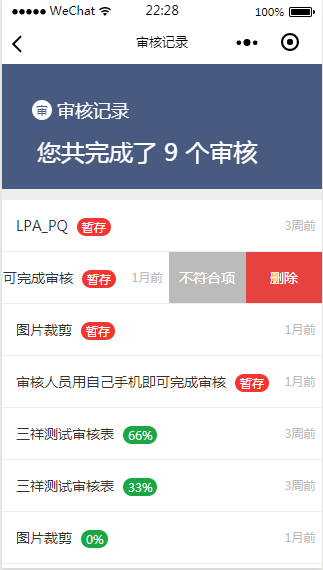
Go to Personal Center on the mobile device -> Audit Records

Audit Record Page Features
Query nonconforming items Delete audit records Statistics on audit quantity Display audit time
Incomplete audits show red “Temporarily Saved,” completed audits show green with compliance rate percentage
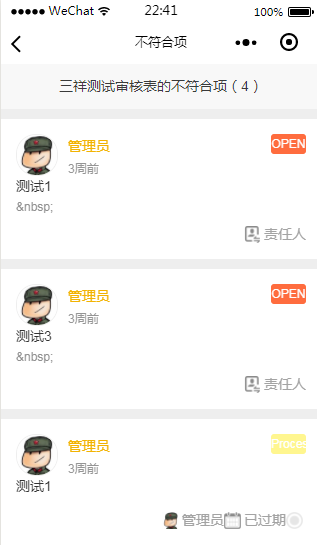
Nonconforming Items for a Certain Audit Form
Issue status Issue level Assigned responsible person
Assign Responsible Person
Issue description Urgency level Responsible person Due date
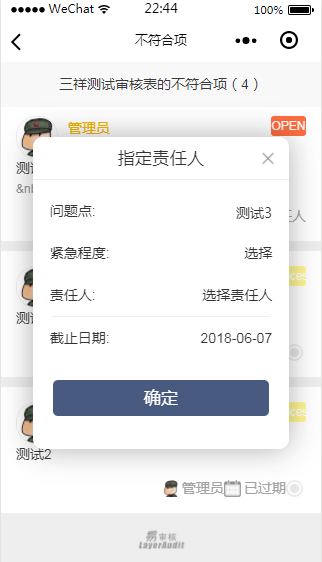
Congratulations, you have learned how to assign issue points to responsible persons after auditing
作者:BIQS 创建时间:2026-05-11 23:23
更新时间:2026-05-11 23:51
更新时间:2026-05-11 23:51