Add the corresponding audit plan for the audit form template
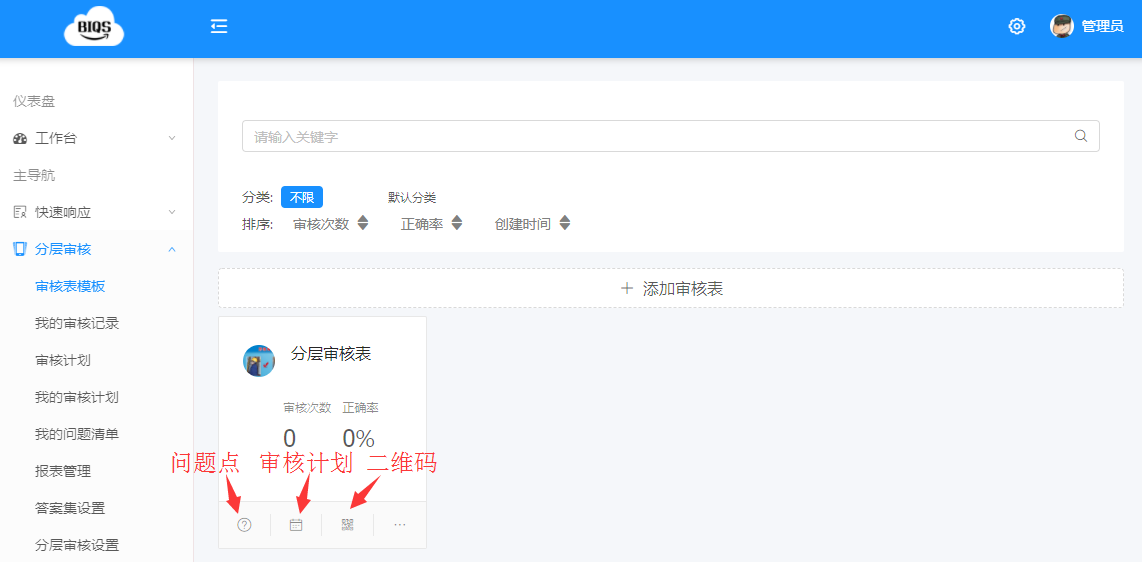
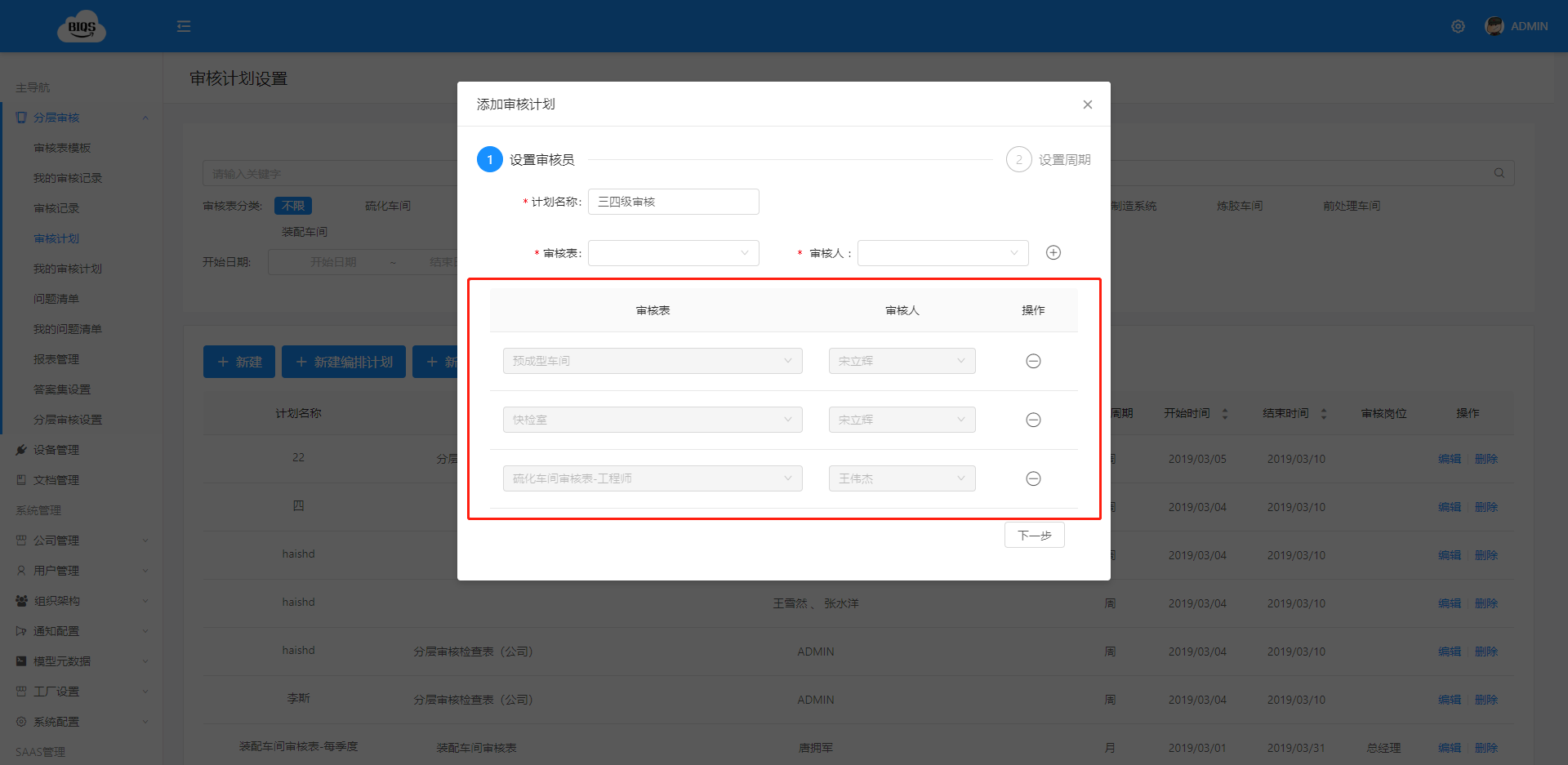
Click Add Audit Plan
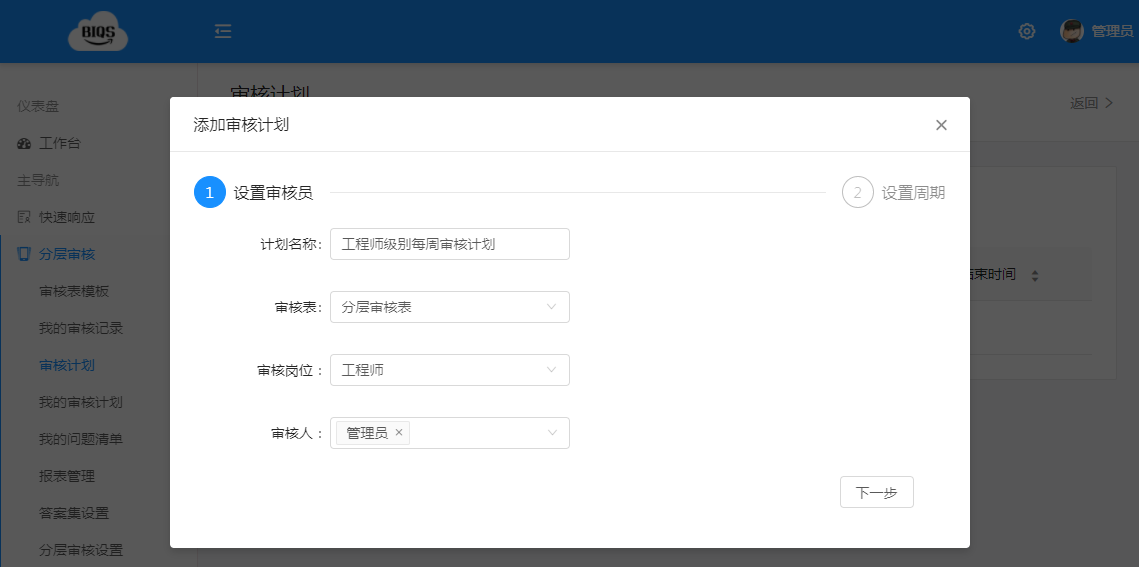
Step 1: Set Auditor
- Fill in the plan name for easy identification
- Select the plan for the corresponding audit form
- Select the audit position
- Select the auditor
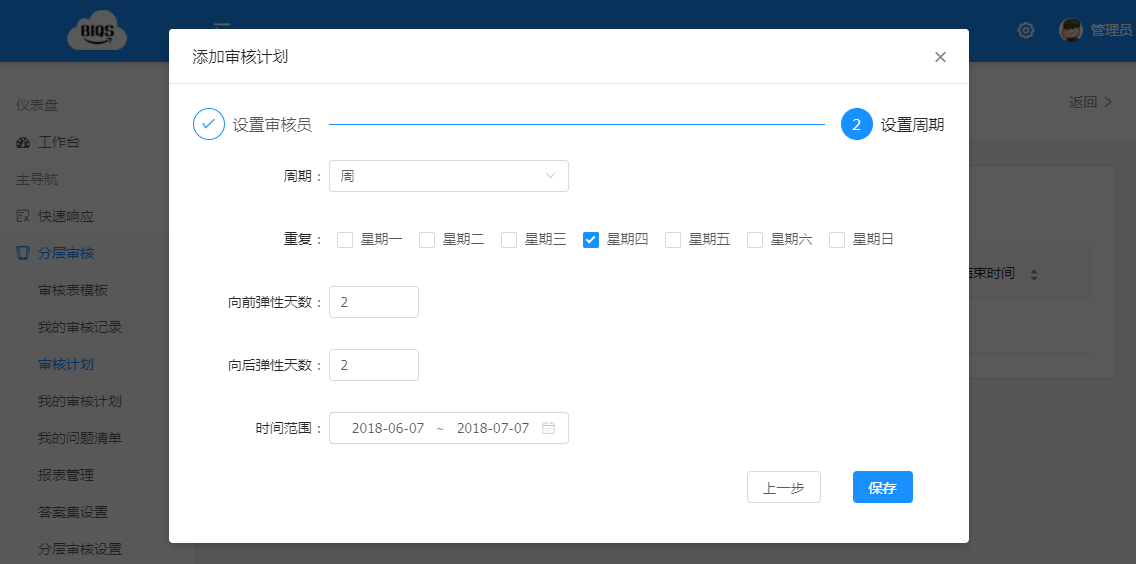
Step 2: Set Cycle
- Select cycle: supports monthly or weekly
- Select which day in the cycle to repeat: directly select the corresponding date
- Set flexible days: days before and after the selected date are not considered overdue, audits can still be conducted
- Time range: the audit plan is valid within the specified time range
Level 2 Audit Plan Addition
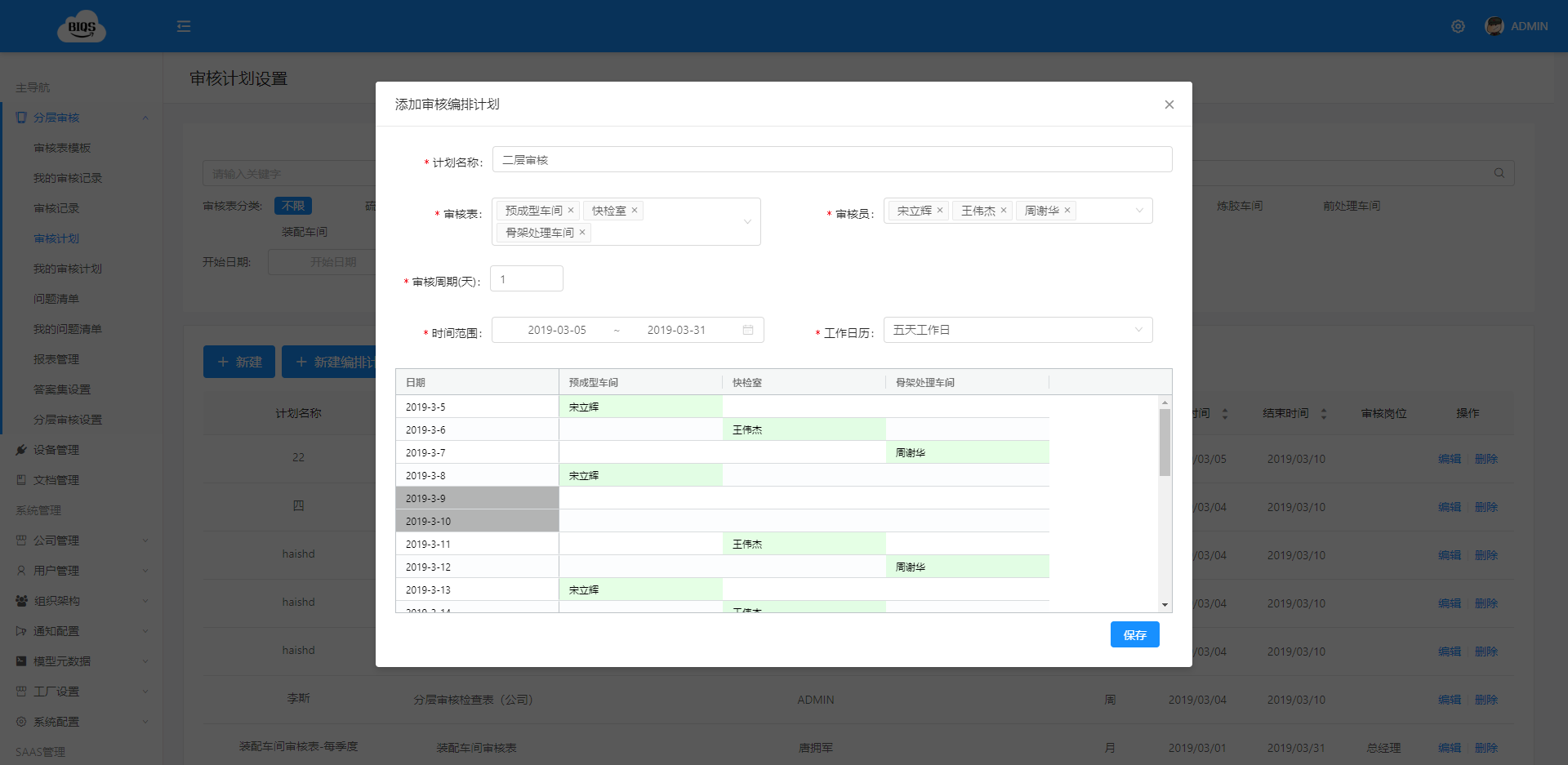
Level 3 and 4 Audit Plan Addition
The corresponding audit plan will be generated on the user’s mobile device
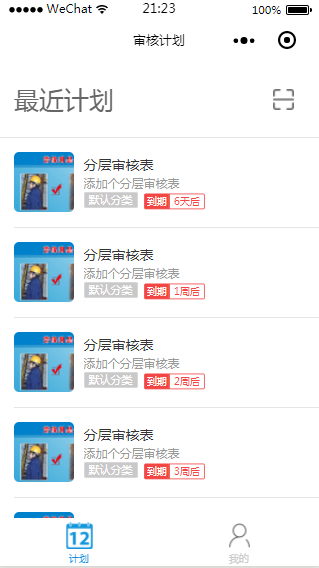
Congratulations, you have completed adding the audit plan!
作者:BIQS 创建时间:2026-05-11 23:23
更新时间:2026-05-11 23:51
更新时间:2026-05-11 23:51