Android Audit
Android Audit Interface
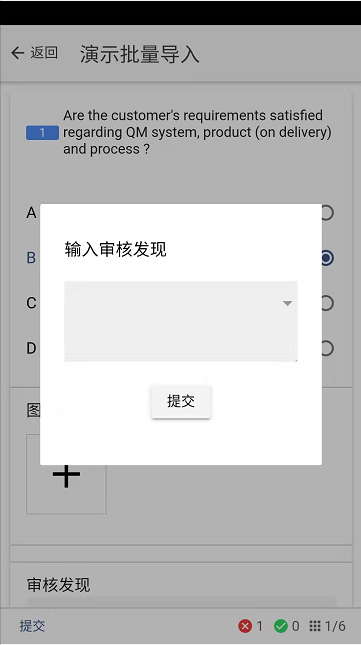
If a nonconforming item is selected, a window for inputting audit findings will pop up, requiring input of findings. The small triangle in the upper right corner can be clicked to select pre-set common input phrases
Swipe right to enter the next issue point
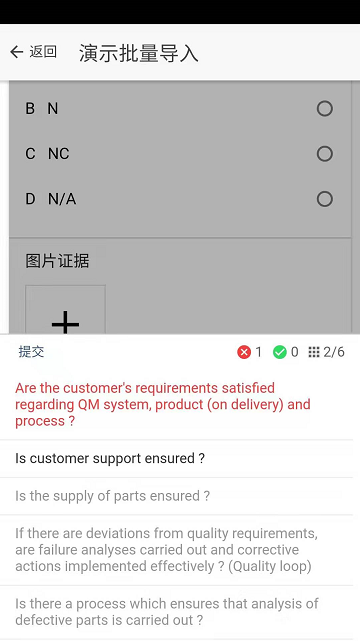
After clicking the bottom right corner, the overall status of the issue audit will pop up. Red means there are nonconforming items after auditing, green means conforming items after auditing, gray means not yet audited
作者:BIQS 创建时间:2026-05-11 23:23
更新时间:2026-05-11 23:51
更新时间:2026-05-11 23:51